
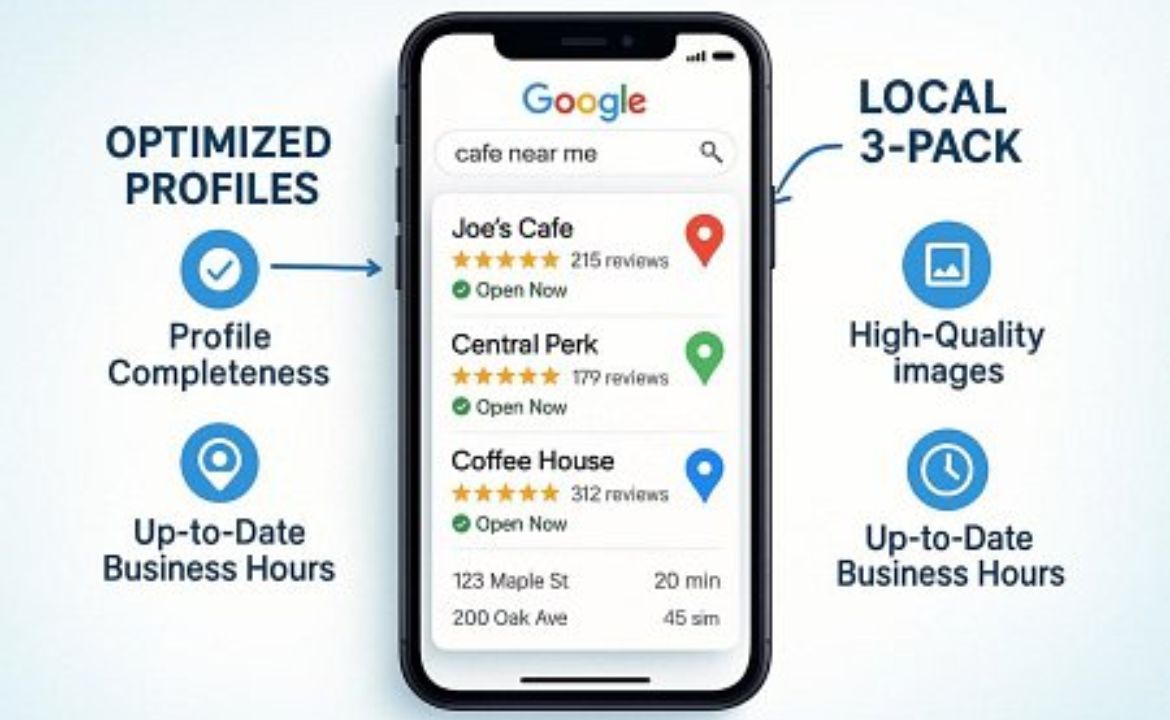
In 2025, making your Google Business Profile (GBP) as effective as possible is essential for any local business hoping to succeed. With so much happening online, your GBP has become your store window on the internet and is often the first thing customers see.
A good profile means people not only find your business but are more likely to pick you over others. Ignoring GBP can mean a big loss in visibility, customer interest, and sales. Treat this as a key part of your local SEO plan-a free but powerful tool that can greatly improve how people see you online.
When paired with strong digital marketing, like efficient Google PPC campaigns, your business can have a strong online presence.
Why Is a Google Business Profile Important for Local Search in 2025?
By 2025, a GBP is much more than a simple entry; it’s an interactive hub for people in your area. As Google’s search options change, a strong GBP puts your business in a good spot for local searches-think of it as having a shopfront on the busiest street, but online, where it attracts clicks and calls instead of just people walking by.
How a Google Business Profile Affects Searches and Customer Choices
Your GBP changes how customers find you. Google’s system favors businesses with detailed, correct, and appealing profiles. This can put you in the top “local 3-pack” results or at the top in Google Maps. The better your profile, the higher you show up, bringing more online or in-person visits.
Customers are almost three times as likely to trust a business they easily find, and 70% of online searches for local companies lead to a visit when the profile is complete. That’s why a good GBP is so valuable for growing your business.
New Google Business Profile Features for 2025
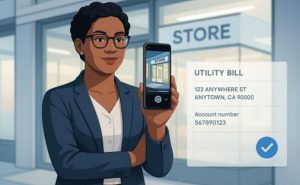
Google updated GBP in 2025 to better match what users want, improve trust, and support better business-customer interaction. Key updates include stricter checks-some businesses need to send in videos or utility bills to confirm their location. Google Lens now supports image, video, and voice searches, so high-quality visuals matter more than ever.
There are also new badges for sustainability and features for diversity and inclusion. These changes mean businesses need to pay more attention to how they manage their profiles.
How Optimization Changes Local Results and Sales
Improvement is what drives higher search spots and more customer actions. Google looks at three things: Relevance, Distance, and Prominence. A good GBP uses complete info and keywords so searchers find you. It helps Google see how close you are to customers, and builds trust through reviews and active content.
More positive reviews and active profiles get pushed higher up, which usually brings more people calling, visiting, or asking about your business.
How Does Google Business Profile Work in 2025?
Simply put, Google Business Profile is a free service to control how your business shows up in Google Search and Maps. Think of it as a digital flyer that always has your latest info and can talk directly to customers online.
Main Parts of a Google Business Profile
Your GBP shows your business name, address, and phone number (often called NAP), plus your website, business category, open hours, full description, and what you sell or offer. It includes reviews, photos, videos, and “posts” for news or deals. All these combined help Google and customers quickly understand what you offer.
How Customers Interact and the New Ways They Find You
Customers in 2025 can find and interact with your GBP in more ways than ever. They use Google Lens (images), type questions, or use their voice. Once on your profile, they can see busy times, read and leave questions, or see photos and reviews.
AI summaries sometimes answer their questions right on Google, so your profile needs to be full of clear, easy-to-read info. This may be the only thing new customers see before choosing you.
What Are the New Updates To Google Business Profile in 2025?
Google always updates GBP to improve trust, use smarter AI, and support equal opportunities.
Changes in Verification and Security
The past few years, Google has made it harder for fake businesses to appear. Now, some businesses need to prove their real-world shop with a video, or send documents like a utility bill. Even older profiles need to check in now and then to keep showing up. These steps help keep search results accurate and honest.
Visual and AI features
Google Lens and AI are a bigger part of GBP. People can now search by photos, videos, and voice. Your profile’s visuals must be top quality and frequently updated. The AI can answer questions without users clicking links, so you need info that’s direct and easy for Google’s AI to understand. This makes it more likely your business will stand out in these new search types.
Which Business Info Matters Most for Your Google Business Profile?
Getting your GBP basics correct and fully filled out is key. This lets Google and your customers trust and understand your business.
Business Name Rules and Mistakes
Your business name should exactly match your shop sign and legal documents. Google checks this more closely now. Do not add extra words like locations or taglines (for example, don’t write “Top Carpets London – Free Estimates!”). This can be seen as spam and can hurt your local ranking.
Choosing the Right Categories
The main category you pick tells Google what you do. You get one main category but up to nine extras. Choose all that really fit your business. If you run a bakery, “Bakery” is your main choice, but you can also add “Coffee Shop” or “Cakes” if they fit. Adding the wrong categories hurts results-always be honest and specific.
Setting Your Location and Service Area
If you have a physical store, your address and pin on Google Maps must be correct. If you visit customers (like a plumber), list your service areas instead. Every time you move or expand, update your profile right away or you could drop out of local searches.
Keeping NAP (Name, Address, Phone) the Same Everywhere
NAP info should match everywhere online-your website, social media, and listings. If your phone or address changes, update it everywhere as soon as possible. Tools like Moz Local can help spot errors and keep your listings matched across the internet.
Listing Hours and Special Dates
Make sure your business hours are always correct. Set special hours for holidays or events. Use the “More Hours” option for special services. Also, if your opening date is recent, add it-it makes your listing more trustworthy and helps build confidence. Google sometimes prefers businesses that appear open and ready for customers.
Why Does Your Business Description Matter?
Your description is where you tell people what makes you unique, work in some keywords, and boost trust at the same time.
Tips for Writing a Strong Description
- Be clear, short, and focus on what you do best.
- Mention your type of business, main products/services, and where you’re located.
- Stick to facts; avoid over-the-top claims or too many keywords.
- Google gives you 500 characters, so use this space well.
- Use a friendly tone and invite customers (for example, “Come visit us in Stockholm!”).
- Don’t include special offers or links to other sites-Google doesn’t allow it.
Adding Keywords the Right Way
Add a few keywords that real people would use to search for you, but only where they fit naturally. Google’s AI is very good at spotting keyword overuse and may penalize you if you try to cheat the system. Think about your customers and pick words they’d really use. Tools like Keyword Planner or Semrush can help you find these terms.
How Do Categories, Features, and Highlights Help Your Visibility?
Besides name and contact info, the categories, attributes, and highlights you pick help Google show your business to the right people.
Primary vs. Secondary Categories
Your main category shows what you do, but adding good secondary categories helps you show up in more searches. Only your main category is visible, but all categories help you rank-or reach more people. Be honest with what you pick; more isn’t always better if they don’t fit.
Picking the Right Attributes (Like Women-Led or Eco-Friendly)
Attributes can be about features (free Wi-Fi), access (wheelchair access), or values (women-owned, carbon-neutral). In 2025, these are even more specific. Pick those that truly match your business. Customers searching for, say, “LGBTQ+-friendly cafe” will be shown your business if you have that label. Check your attributes regularly to keep them correct.
Accessibility and Inclusivity Features
There are more options for businesses to show how they support all types of customers. Pick features like “wheelchair-accessible entrance” or “gender-neutral restroom” only if they’re really available in your location. These details can help you reach more people and even boost your spot in certain searches.
Why Add Your Products and Services to Your Gbp?
Listing your products and services turns your GBP into a showcase of what you offer. This is very useful if your main business name doesn’t say what you actually provide.
How To Present Products/Services for Best Results
- Include the product or service name, price/amount, a short description (up to 1,000 characters), a link, and a real photo.
- Use Google’s predefined services but add your own custom ones if needed.
- Organize listings by main products or services for clarity, not by every single small item.
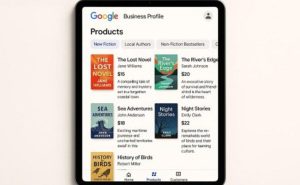
Image and Content Rules for 2025
- Images should be clear, high-resolution (at least 720 x 720px), and honest-no stock or AI-made photos.
- Videos can be up to 30 seconds, 720p quality or higher, and less than 75MB.
- Photos and videos should be current, well-lit, and a true picture of your business.
- For restaurants, use the menu feature and highlight best sellers or seasonal dishes.
Why Do Photos and Videos Matter So Much for Engagement?
Photos and videos are now essential, not extras. Google Lens and new search layouts show how much visual content matters in getting noticed.
Photo and Video Rules and Tips
- Photos: At least 720 x 720px, under 5MB, clear and well-lit.
- Videos: At least 720p, up to 30 seconds, under 75MB.
- Show your shopfront, staff, what you sell, and inside your business.
- Avoid blurry, edited, or stock images.
- Geo-tag your photos to show location accuracy.
Use Short Videos To Get More Attention
Short, lively videos taken for Instagram Reels or TikTok can be added to your profile. Highlight new products, give a quick tour, show a staff member at work, or share a customer story. These catch the eye as users scroll and can lead to more visits and calls.
Keep Your Visuals up to Date
Don’t let your profile get stale. Change photos and videos regularly-after events, when you redecorate, or with new menu items. Businesses with lots of images see more calls and visits. Make this as routine as posting on social media.
Why Are Google Posts and Messaging Important for Customer Contact?
Google Posts and Messaging turn your GBP into a channel for live communication. They help you give updates and answer questions right away.
Types of Google Posts
- Update: Share news, testimonials, or business stories.
- Offer: Announce sales, deals, or discounts with time limits.
- Event: Invite people to events, launches, or classes.
Add photos, info, and a call to action (like “Learn More” or “Sign Up”). Posts show up under reviews and can be featured in Google Maps.
How To Write Good Google Posts
- Be clear and direct. Use attractive pictures.
- For offers, state the deal and what customers need to do next.
- Share real moments, behind-the-scenes shots, or local involvement.
- Avoid posts expiring-most only last seven days unless tied to events.
- Post often for regular coverage.
How To Use Messaging and Reply Fast
Turn on “Messages” in GBP settings to let customers text you directly from your profile. Respond quickly, ideally within 24 hours. Google rates fast responses highly, helping you show up more in search. Quick replies show you care and can lead to more bookings or sales.
How Do Reviews and Q&A Shape Your Local Reputation?
Reviews and your Q&A area are vital for building your reputation and trust. They greatly influence your spot in search results and guide new customers’ choices.
How To Encourage and Handle Reviews Ethically
- Ask happy customers for reviews by text, email, or in person. Make it easy with a shareable link.
- Never reward reviews with discounts or gifts-this goes against Google’s rules.
- Check reviews often. You can only get reviews after your profile is verified. Thank happy customers and handle negatives carefully-apologize and show you want to fix any problems.
Responding To Reviews the Right Way
- Reply to all reviews. Thank good customers and invite them back.
- For negative ones, apologize and offer to talk more in private if needed. Always be polite and specific to show you’ve read their words.
Using Q&A To Respond to Common Questions
Use the Q&A section as an FAQ. Ask and answer key questions yourself so customers find what they need. Check and reply to real customer questions within 24 hours to clear up confusion. Adding useful keywords here can help your ranking too, but only if they sound natural.
Why Recent Reviews Matter
It’s not just about the number of reviews-having new ones all the time keeps your profile active and your ranking high. If you stop getting reviews while competitors keep going, you could fall behind. A steady flow of feedback is important, so think about ways to keep requests going after each sale or service.
How Does Tracking, Analytics, and Checking Competitors Help?
Keeping your GBP working well takes ongoing review. Understanding your stats and what competitors are doing can help you improve.
Using Google Performance Dashboard and Other Tools
- Google Performance dashboard: Check views, searches, calls, messages, and clicks.
- Look at these stats weekly or monthly to see what’s working.
- External tools like TrackRight can give deeper reports and help you fix problems.
Key Stats To Track
- Total calls, clicks, and messages-showing engagement.
- Search terms found in analytics-helps you use better keywords.
- Number/quality of reviews and how recent they are.
- How many views your photos and videos get.
Regularly checking these helps find what’s doing well or what needs work.
How To Review Your Competitors
- Find who appears in the top search results in your area.
- See which categories and descriptions they use, how often they post, and how many reviews and photos they have.
- Copy what works and improve where they leave gaps. For example, if they don’t show products, you can stand out by doing so.
Common Mistakes and Risks in Profile Optimization
Even small mistakes can hurt your GBP or make it disappear from search results. Being aware of these is important.
Breaking Google’s Rules
- No fake info-keep everything true to life.
- No keyword stuffing in your name, and don’t create fake reviews or listings.
- Follow Google’s rules or risk losing your profile. Getting it back after a suspension is hard and slow.
Not Making Updates or Having Mismatched Info
- Keep hours, photos, and offers up to date; inactive profiles get lost in the results.
- After any change, update everywhere at once-Google checks different sites and will confuse customers if info doesn’t match.
Skipping Local Directories
Your GBP is key, but people also look at other sites. Make sure your info is right everywhere, from Yelp to industry directories. Google checks these and will notice if phone numbers or addresses don’t match. Use a tool like Moz Local to keep all listings updated.
How Does Your Google Business Profile Fit Into Your Overall Local SEO?
Your GBP is the main part of local SEO but should work together with your website and other online listings for best results.
Matching Website, Links, and Citations
- Your website should have the same contact info and hours as your GBP.
- Link your GBP to important pages on your site.
- Make sure local citations (your NAP on all directories) matches your GBP.
- Track visits from GBP to website with UTM codes to see which marketing efforts work best.
How Google Maps and Search Work Together
An active GBP helps you appear in both map results and regular local searches. When people search for local businesses, Google often shows the map first. Your ranking there makes a huge difference, and your profile’s quality also helps your main site rank for local searches.
Tips for Getting the Most From Your Google Business Profile in 2025
A GBP that works well needs regular attention and updates, not just a quick setup. The more active and detailed, the better.
Check and Update Your Profile Regularly
- Check your profile at least once a month-more if possible.
- Update all business info, add new photos and videos, and check your products and services list.
- Fix anything that’s out of date, from hours to contact info.
Stay Updated on New Google Features
- Read updates from Google and SEO websites.
- Use any new features quickly-like new post types or badge options.
- Keep your profile matched to the latest Google standards to stay ahead of competitors.
When To Get Expert Help
While you can manage many GBP tasks yourself, it can become overwhelming, especially if you have several locations or are busy running your business. If keeping up, writing content, or reviewing performance is too much, hiring a local SEO expert or agency could be a smart move. They can help you get better results, follow the latest rules, and let you focus on your business, knowing your profile is working to bring in new customers.










Leave a Reply